
Discovering passes
Understanding the 5 km pass alerts
What the approaching-pass alert in Mountain Passes looks like, what triggers it during a ride, and why it sometimes does not fire.
While a ride is recording, Pro shows nearby passes and highlights those within 5 km as Approaching. A short haptic alert draws attention to the nearest eligible pass. Alerts are part of Pro and only work while a ride is recording.
What you see
- Nearest Passes on the ride screen: a live list of the closest passes with their distance and a driving ETA, refreshed as you move.
- A pill at the top of the map naming the next pass and how far it is. Tap it to centre the map on that pass.
- Passes appear as markers on the live map itself, so you can see what is ahead without leaving the ride screen.
- Entries within 5 km show Approaching. The haptic alert follows the nearest eligible pass, rather than every entry in the list.
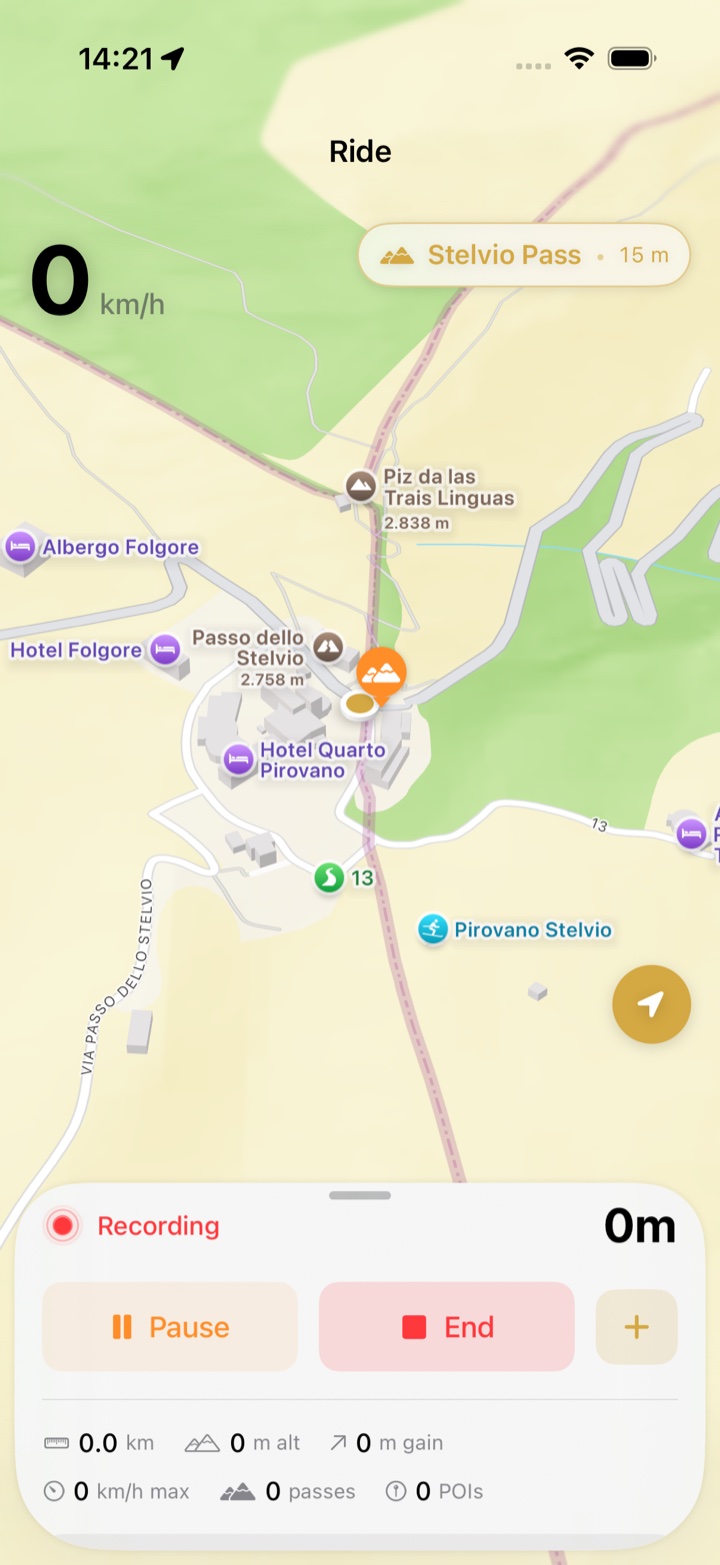
The alert is on screen and haptic. It is not a notification, so there is nothing to allow in iOS Settings, and it does not make a sound in a helmet headset.
How an alert is chosen
- Passes already detected during the current recording are excluded from approach alerts. A pass visited on an earlier ride can still trigger an alert.
- Distance is measured as the crow flies. An alert can repeat if the nearest eligible pass changes, or if you leave the approach area and return.
- Passes closer than your detection radius are being detected, not announced.
Steps: see it in action
- Make sure Pro is active (Home › Settings shows a Pro badge).
- Open the Ride tab and tap Start Ride.
- Pull up the sheet at the bottom of the ride screen. Nearest Passes lists what is ahead; the closest one also sits in the pill above the map.
- Ride towards a pass. Within 5 km its entry shows Approaching; the nearest eligible pass can trigger a short buzz.
There is no separate on/off switch for approach alerts. Collapsing the sheet hides the list but does not turn off haptics.
Troubleshooting
- No alert came. Check that a ride was recording and Pro is active. The alert follows the nearest eligible pass, and passes already detected during this recording are excluded. Detection and alerts both stop when you tap End.
- An alert came for a pass I could not reach. 5 km in a straight line can be two hours by road when the pass is across the valley. The driving ETA next to each pass tells you which ones are really close.
- Repeated alerts in the Dolomites. In dense regions the nearest eligible pass can change frequently. Returning toward a pass can also trigger another alert.
- The list is locked. Nearest Passes shows See passes ahead with a lock for free users. Upgrade in Home › Settings › Upgrade to Pro.