
Companions and trust
Battery, offline use and privacy
How Mountain Passes detects passes on the device, what the GPS Accuracy modes mean for battery, how the app behaves without signal, and what happens to your location data.
Pass detection runs on your iPhone and works without signal. Your recorded rides can sync through your private iCloud account. Here is how offline use, battery consumption and sync work together.
Battery
- Recording a ride keeps GPS running the way a navigation app does, but the app does not have to render a map or keep the screen on, so a full riding day costs noticeably less than navigating all day.
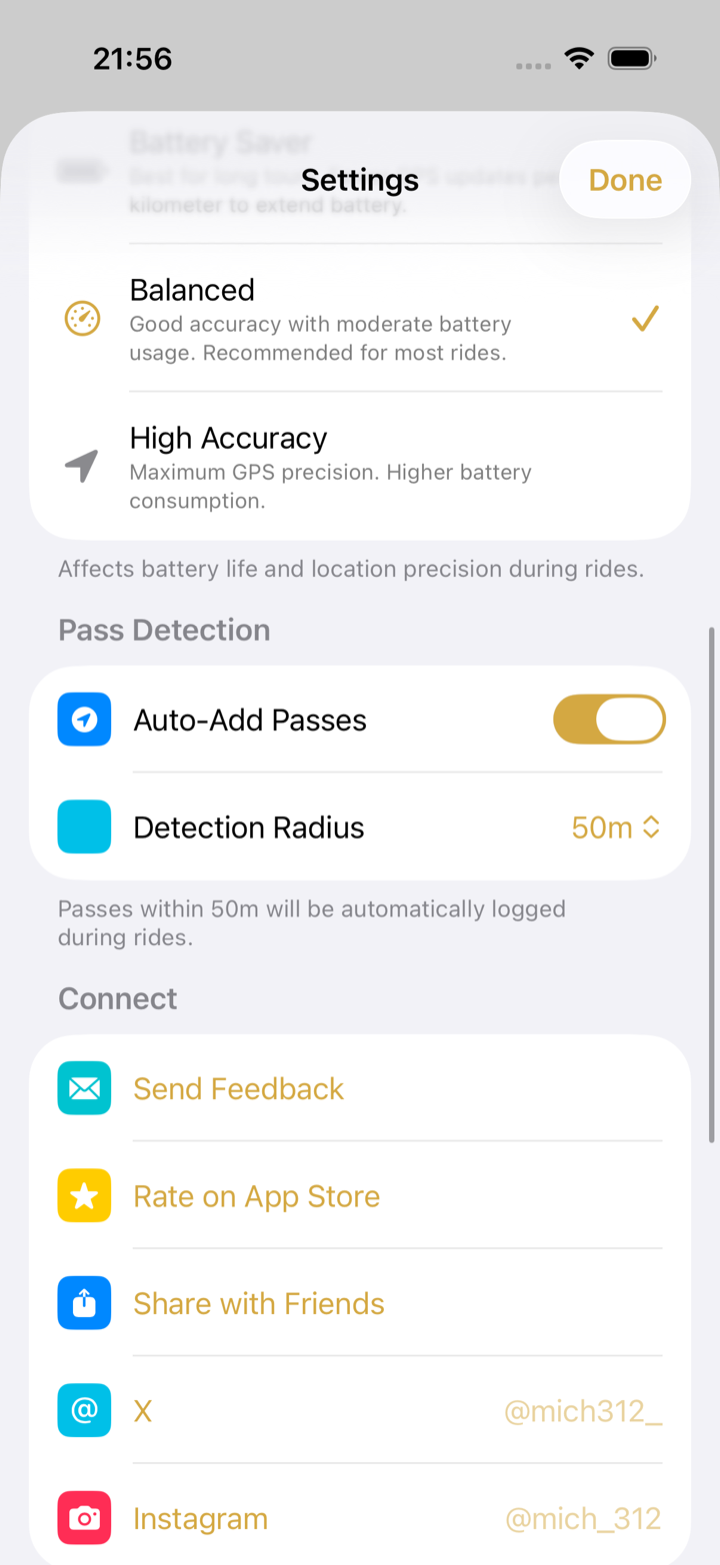
- Home › Settings › GPS Accuracy has three modes. Balanced (the default) is right for almost everyone. Battery Saver takes fewer fixes and is fine on long transfers with no passes. High Accuracy is for narrow single-track where 50 m matters.
- Auto-pause helps: while you stand still the app stops accumulating distance, and it resumes when you move.
 - Low Power Mode throttles background location and can cost you a crossing. Charge on the bike or in the car instead.
Offline
- The whole pass catalogue is stored on the phone. Detection, the pass list, filters and pass pages all work with no signal.
- The map itself is Apple Maps. Tiles need a connection the first time; areas you have looked at stay cached for a while.
- Rides, visits, places and posters are saved on the phone immediately and sync through iCloud when you are back on Wi-Fi or cellular.
- Driving ETAs, Wikipedia summaries and fresh community reports need a connection. The Nearest Passes list uses the on-device catalogue; its driving ETAs need a connection.
Privacy
- Your position is processed on the phone, to detect crossings and record rides. Mountain Passes has no server of its own and no account to create.
- Ride and visit sync goes through your iCloud account, in a private CloudKit database.
- Community contributions, such as submitted pass impressions and access reports, use a separate public CloudKit database so other riders can see them.
- The app contains no advertising or analytics SDK and no crash reporter.
- When you use them, Apple services see what they need: Apple Maps for the map, navigation and driving ETA; Apple Health if you import workouts (read-only). Both are covered by Apple's privacy terms, not by a third party.
- Feedback and issue reports are plain emails from your own Mail app; nothing is sent unless you press send.
- The app's Settings links to the app privacy policy. This website has its own privacy policy.
Troubleshooting
- The battery drained faster than expected. Check that Low Power Mode is off, that GPS Accuracy is on Balanced, and that you ended the ride at the end of the day. A ride left recording overnight keeps GPS on.
- The map is blank. No connection and no cached tiles. Passes and detection still work; the map fills in when you are back online.
- A ride is missing on another phone. Sync runs while the app is open with a connection. See iPad, Mac and iCloud sync.